The appeal is obvious: a Wada palette gives a site an identity that a generated five-swatch scheme never will — centuries of cultural meaning, a coherent story, and colors that already work together. The risk is equally real. Most of these combinations were never meant to hold text. Of the 348 historical plates, only about a third contain a pair legible enough for body copy (see the data). So the method matters. Four steps.
1. Pick for the medium, not just the mood
Decide what the palette has to do. If it's setting atmosphere — a hero image, a brand mark, a marketing page with large display type and few text blocks — almost any combination in the dictionary will work; browse by collection or dominant color and choose on feeling. If it has to run a working interface — dashboards, forms, dense text — start from the accessible shortlist: the combinations that already hold a WCAG-AA pair. Picking the wrong kind of palette for the job is the single most common mistake.
2. Assign color roles
A palette is not a set of equals — it's a hierarchy. Map each color to a role before you write a line of CSS:
- Background — usually the lightest, lowest-saturation member. The color you'll see most.
- Text — the member with the highest contrast against your background. This is non-negotiable; if no member clears 4.5:1, the palette can't carry body text (use it for atmosphere instead).
- Accent(s) — the saturated, characterful colors. Links, buttons, highlights, borders. Used sparingly — roughly the classic 60 / 30 / 10 split of background / surface / accent.
Every color page lists its contrast against white and black, so you can sort members into "text-capable" and "decorative-only" in seconds.
3. Respect contrast — verify, don't assume
Two beautiful colors side by side in a plate tell you nothing about whether one can sit as text on the other. Check the exact pair you plan to use with the contrast checker. The floor is 4.5:1 for body text, 3:1 for large text (18px+, or 14px+ bold). Anything below 3:1 is decoration only — fills, dividers, backgrounds behind imagery. Never put small text on a low-contrast neighbor because the plate "looks balanced." Balanced and legible are different problems.
A worked example
Take Carmine & Yellow +2 — the highest-contrast multi-color combination in the dictionary, at 15.9:1. Assigning roles: Yellow is the lightest member, so it becomes the background; Black has the strongest contrast against it, so it carries text; the rest become accents. As CSS custom properties:
:root {
  --bg:     #fff200;   /* Yellow — page background */
  --text:   #111314;   /* Black — body text (15.9:1 on --bg) */
  --accent-1: #cc1236;   /* Carmine — accents, fills, borders */
  --accent-2: #1a7444;   /* Diamine Green — accents, fills, borders */
}
That's a complete, accessible foundation from a 1933 plate — body text passes AA, and the accents are reserved for the moments that should draw the eye.
4. Ship it as tokens
Don't scatter hex values through your stylesheet. Define the palette once as custom properties (or design tokens) and reference them everywhere — it keeps the scheme coherent and makes it trivial to swap. Every palette on this site exports ready-made CSS variables, Tailwind config, and W3C design tokens with one click from its page, so you never retype a hex.
When not to use a Wada palette
Be honest about fit. Skip the dictionary when your interface needs many independent accessible text pairs (complex data tables, charting with labelled series, dense admin tools) — historical pigment palettes rarely supply more than one strong pair, and forcing it produces illegible UI. Skip it too when the brief demands a specific brand hue you must match exactly. Wada is for projects where a coherent, meaningful, slightly-imperfect palette is an asset — editorial sites, portfolios, hospitality, publishing, packaging, considered product marketing.
— colorcombinations.org editorial
Library
Go deeper on Wada palettes in web design
The books behind this piece — colour theory, history and reference that designers keep close.
Book links are Amazon Associates affiliate links. Your price is unchanged; a small commission supports the archive. As an Amazon Associate we earn from qualifying purchases.


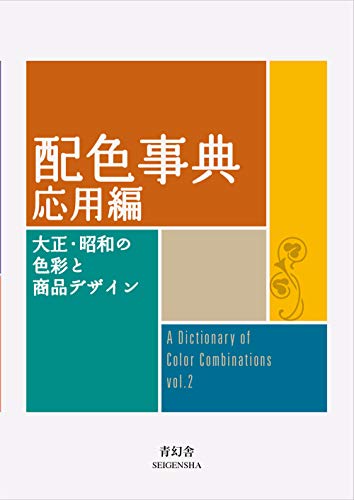

Torn between the two Wada dictionaries? Vol 1 vs Vol 2, compared plate by plate →
Book links are Amazon Associates affiliate links. Your price is unchanged; a small commission supports the archive. As an Amazon Associate we earn from qualifying purchases.
From the archive
Support the archive The full catalog, on your disk, as a thank-you.
- All 378 palettes (348 Wada + 30 editorial) in five formats
- Figma design tokens (W3C-spec JSON, drag into any file)
- Tailwind v4 + v3 configs — drop into any project
- CSS custom properties — every plate, one stylesheet
- 378 SVG plates (348 Wada + 30 editorial) — print-ready at any size
- Full JSON — colors, names, eras, moods, dominant hues
Launching soon. The free archive stays free, always.